
A program which displays your computer's specifications which was inspired by the package archey. It is implemented in bash.
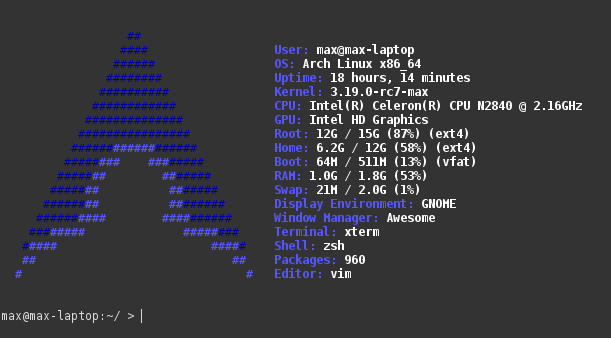
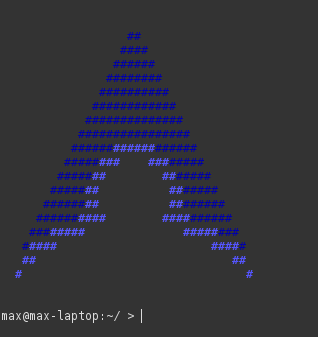
- Adapt to size of terminal to show minimal or full display
- Customizable colors through command arguments
- Easily add new information to the output
- Displays dynamically updating values including drives, swap, RAM, window manager, and packages installed
- Configure what is displayed upon execution
- ncurses
Maximized view:
Minimized view:
specy [-r] [-d] primary_logo_color secondary_logo_color primary_text_color secondary_text_color
The options for colors are intense_blue, blue, white, gray, dark_grey, light_blue, black, green, cyan, red, purple, brown, light_green, light_cyan, light_red, light_purple, yellow, and no_color
By default the config file is stored in ~/.config/specy/config
You should run this program when your shell starts. To do so, you can add the command specy to your .bashrc, .zshrc, or other shell configuration file.
To reconfigure your output setup, run specy with -r or --reconfigure
To get the minimum size of your terminal window to display specy use -d or --dimensions
specy is licensed under the GNU General Public License version 3
Copyright (C) 2014-2015 Max Weis
This program is free software; you can redistribute it and/or modify it under the terms of the GNU General Public License as published by the Free Software Foundation; either version 3 of the License, or (at your option) any later version.
This program is distributed in the hope that it will be useful, but WITHOUT ANY WARRANTY; without even the implied warranty of MERCHANTABILITY or FITNESS FOR A PARTICULAR PURPOSE. See the GNU General Public License for more details.