

A React data table backed by the framework-neutral TypeScript comins-table/core. Build data-heavy screens with application-owned data, virtualized rows, Tree Grid, grouping, and customizable cells.




한국어 가이드 · English Guide · Comins Brand · Changelog
0.2.2: standard render customization with 0.x compatibility, value list filters, and styled Excel import/export. 한국어 전환 안내 · English migration.
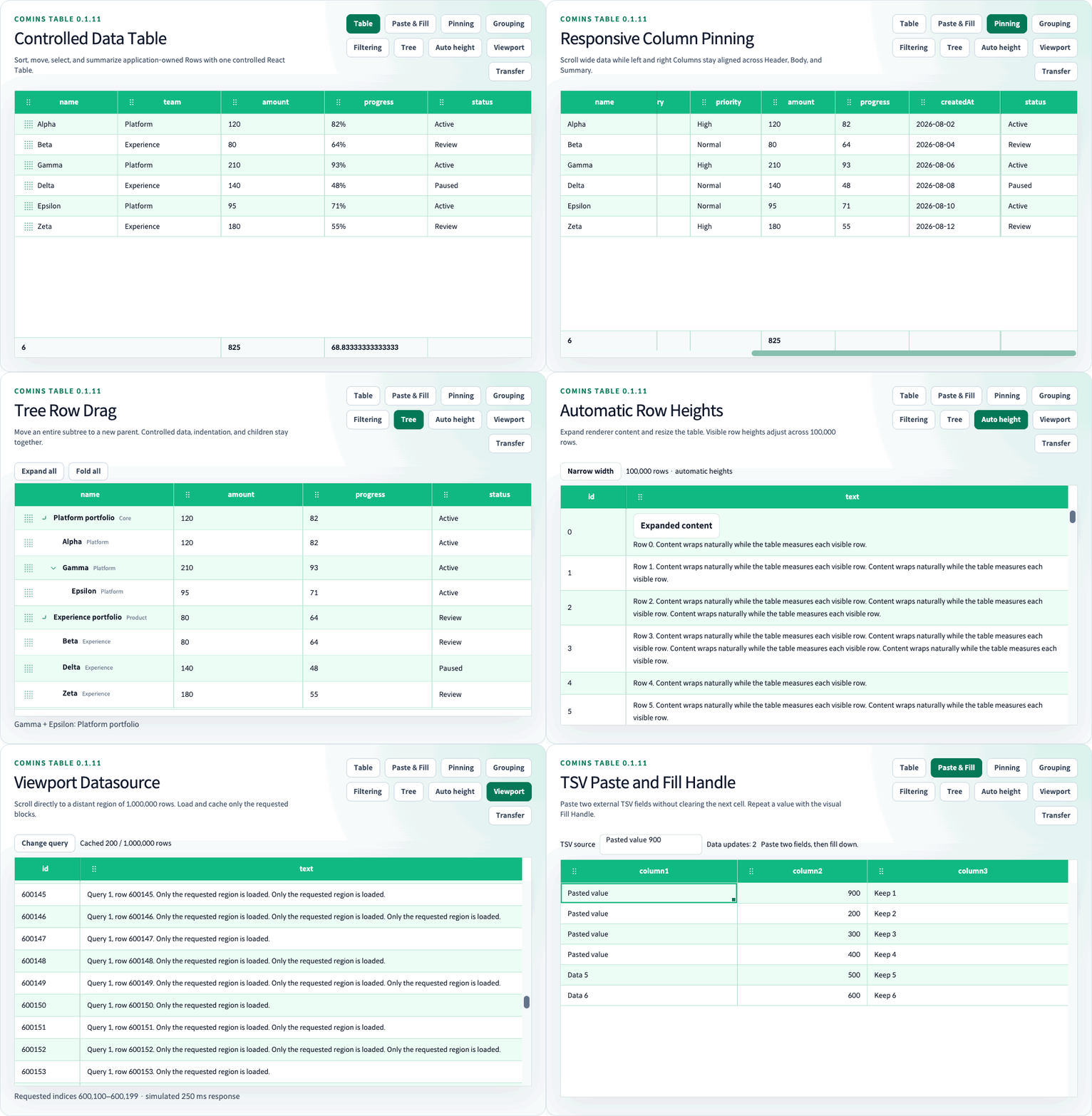
The preview was recorded with 0.1.11. Feature-specific recordings and examples are available in the guides.
- Application-owned data: controlled updates with stable row IDs and reusable Core helpers.
- Large datasets: virtualization, automatic row heights, and bounded Viewport loading.
- Table interactions: sorting, filtering, column resizing and pinning, selection, clipboard, and Fill Handle.
- Structured rows: Tree Grid, row grouping, summaries, row details, and supported row/group drag operations.
- Custom presentation: cell/header renderers, built-in components, themes, and CSS variables.
npm install comins-table react react-domReact and React DOM >=18.0.0 <20.0.0 are peer dependencies. TypeScript declarations are included for JavaScript entry points. Import comins-table/styles.css for the default table appearance.
import { useState } from "react";
import { CominsTable, type CominsTableColumn } from "comins-table";
import "comins-table/styles.css";

type UserRow = { id: string; name: string; age: number };

const columns: CominsTableColumn<UserRow>[] = [
  { field: "name", label: "Name", sort: true },
  { field: "age", label: "Age", sort: true },
];

export function UsersTable() {
  const [data, setData] = useState<UserRow[]>([
    { id: "u-1", name: "Example user", age: 31 },
  ]);

  return (
    <CominsTable
      columns={columns}
      data={data}
      getRowId={(row) => row.id}
      onChangeData={setData}
    />
  );
}
Your application owns data; connect onChangeData to retain table-side edits. See the 한국어 시작 가이드 or English Quick Start for setup details.
| Language | Guides | 0.2.0 migration |
|---|---|---|
| 한국어 | 기능별 가이드 | Core 마이그레이션 |
| English | Feature guides | Core migration |
The documentation index links API usage, feature limits, and runnable examples. Browse the public website in 한국어 or English.
Clone the repository to run the examples; the Playground is not installed into consumer applications.
git clone https://github.com/kim1124/comins-table.git
cd comins-table
npm ci
npm run dev
Open the Playground. The Playground guide lists examples and language controls.
0.2.2 adds standard render customization, customizable value list filters, and framework-neutral Excel import/export with export styles. Existing 0.x rendering aliases remain compatible until 1.0.0. See the migration guides above and the changelog for version history.
The Table UI is client-only React; SSR and a Vue adapter are not currently supported. Chrome and Edge are the supported browser targets, with automated browser checks using Playwright Chromium. Firefox and Safari are outside the current support contract. Feature combinations and limits are documented in the corresponding guides.
The Table runtime makes no package-owned network requests and loads no remote assets, telemetry, or error reporting.