

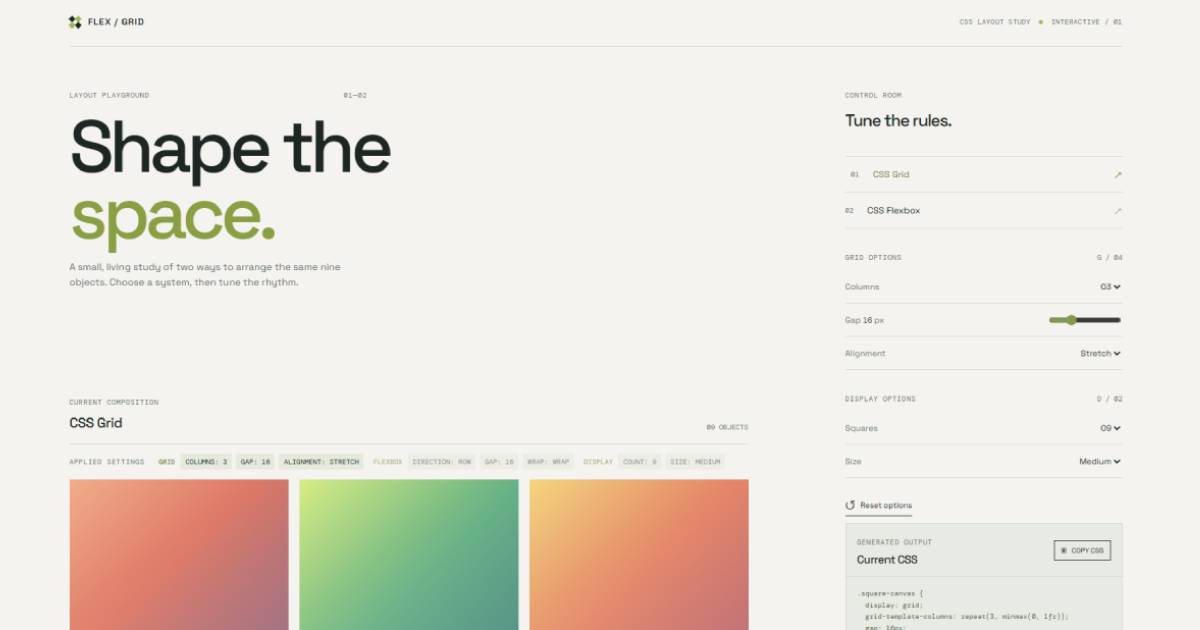
Flex / Grid Playground is an interactive CSS editor for exploring responsive CSS Grid and Flexbox layouts. It displays gradient squares and lets you change layout rules in real time, with the generated CSS available to copy.
- Toggle between CSS Grid and CSS Flexbox.
- Adjust Grid columns, gap, and alignment.
- Adjust Flexbox direction, gap, and wrapping.
- Change the number and size of displayed squares.
- View live settings and generated CSS.
- Copy the generated CSS to the clipboard.
- Reset all options to their defaults.
- Responsive layout for desktop and mobile screens.
- Open
index.htmlin a browser, or serve the folder with any static web server. - Choose
CSS GridorCSS Flexboxin the control panel. - Change the available options to see the nine gradient squares update immediately.
- Use
Display optionsto choose how many squares appear and how large they are. - Review the generated CSS in the
Current CSSpanel. - Select
Copy CSSto copy the current snippet. - Select
Reset optionsto restore the default layout.
flexgrid/
|-- css/
|   `-- styles.css
|-- js/
|   `-- app.js
|-- favicon.svg
|-- index.html
`-- README.md
Created by Damion Wilson for CodeBox LLC.
- LinkedIn: Damion Wilson
- Bluesky: @dwilsoncoder
- GitHub: cssflexgrid