
Idiot Box is a modern, customizable desktop IDE designed to make development simpler, more flexible, and more enjoyable. Code, preview, terminal, browser, and developer tools, all in one workspace.
- Canvas — Visual Project Map — every page & component of your project as live preview cards, grouped by folder on an infinite pan/zoom canvas. Drag cards (push the parent edge to expand), shift+drag to move card+group together, resize groups from all 8 sides, search, fit view, and persist your layout per project (
.canvas/layout.json). - Code Editor — Code-OSS editor services with syntax highlighting for 50+ languages, IntelliSense, diagnostics, automatic language detection (shebang, modelines, content sniffing) with suggestions, minimap, word wrap, autosave, Save As, dirty-tab markers, and live reload: if an external app (or git/build tool) changes a file on disk, the editor updates automatically.
- Extension Host — runs VS Code-compatible extensions in a local web worker through
@codingame/monaco-vscode-api, with built-in language extensions and a demo extension proving the pipeline. - Live Component Preview — shadow-DOM previews of components that sync instantly with the editor (no save needed).
- Terminal — xterm.js + node-pty with split/new panel actions and working-directory-aware launch.
- Browser Panel — webview-based tabs with port detection for your dev servers.
- Project Panel — grid/list file manager with native drag-and-drop, multi-select, clipboard operations, undo/redo, renaming, duplicate, context menus (open in new editor tab, open with, reveal, terminal here), and sidebar tree.
- Media Viewer — zoom / rotate / flip / pan for images and videos.
- Settings Window — live-updating editor preferences (minimap, word wrap) via BroadcastChannel.
- Command Palette — quick actions for projects, files, panels and layout.
- Session Restore — remembers your window state and open tabs.
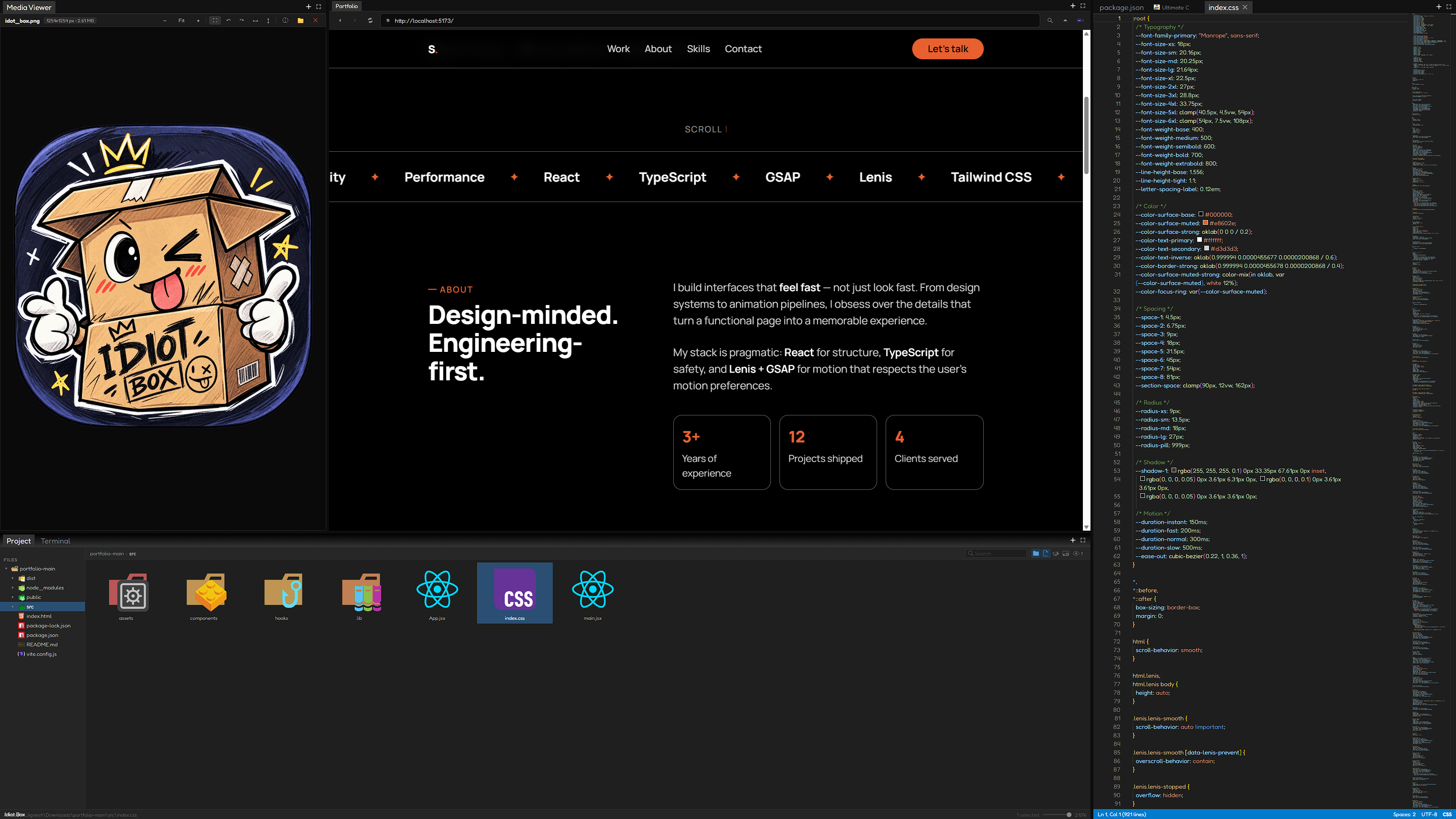
- Electron 43, React 19, flexlayout-react (dockable panels)
- Code-OSS workbench services via
@codingame/monaco-vscode-api(TextMate grammars, themes, IntelliSense, diagnostics, language services, and extension hosting) - xterm.js + node-pty (terminal), chokidar (fs watching)
- esbuild (bundling), CSS + HTML workers for Monaco
npm install
npm start
npm start builds the workers, renderer and settings bundles, then launches the app.
| Script | Description |
|---|---|
npm run build:workers |
Build Monaco + extension-host web workers |
npm run build:renderer |
Build the main renderer bundle |
npm run build:settings |
Build the settings window bundle |
npm run build |
All of the above |
npm start |
Build everything and launch |
electron/
  main/             Electron main process (IPC, menus, fs watcher, canvas scan)
  preload/          context-isolated API bridge
  renderer/
    components/     Panels: Editor, Project, Terminal, Browser, Canvas, ComponentPreview, Blank
    workers/        Monaco language/theme workers + extension-host worker entry
    extensions/     Bundled demo extension
  host/             (legacy extension host files, migrated to worker)
build/              esbuild configs + worker asset copy