The companion irrigation controller for Crop Steering. This repository supports existing Home Assistant app installations and receives the matching controller release.
Try the interactive demo · Install and upgrade guide
- Install the Crop Steering integration through HACS, then restart Home Assistant and add Crop Steering in Devices & services.
- Add this controller app repository. Install Crop Steering Controller, review its options and start it.
- Open Crop Steering in the sidebar. Use Rooms & setup to map each room's pump, mainline, valves and probes, then enter pot size, plant count and dripper output. The controller adopts the integration's mapping.
- Check fresh sensor readings, controller heartbeat, current setpoints and safety holds. Commission actual water delivery before enabling irrigation.
Integration 2.16.0 pairs with controller 0.13.2. Home Assistant OS/Supervised provides the app store and internal authentication. No token needs to be committed to a file.
Use Update on the controller you already installed. Keep its repository and app identity so Supervisor preserves /data/state.json, options and counters. Installing another copy from the main project repository creates a separate controller instance.
Update the companion integration as well and restart Home Assistant. A plain controller restart reuses the old image; a published Update or local-source Rebuild loads the new code. Verify versions, heartbeat and restored settings afterwards. Do not re-enter defaults over your current setpoints.
Feed EC/pH sources and hold entities remain installation-specific options. Empty feed-probe mappings disable those particular gates; map your own reservoir probes to use them. Weekly water is a controller delivery estimate, with partial-history coverage after upgrade, rather than measured flow.
The workspace now previews manual edits on a combined VWC/EC graph, compares recorded runs against daily target references, and separates zone water, average per-plant water and substrate capacity. Runtime estimates include controller limits; historical delivery totals are preserved.
Save user-authored plans in the browser's room-scoped Recipe library and load them as reviewed local drafts. Older installations' maximum-shot-duration entity names are supported without changing entity IDs.
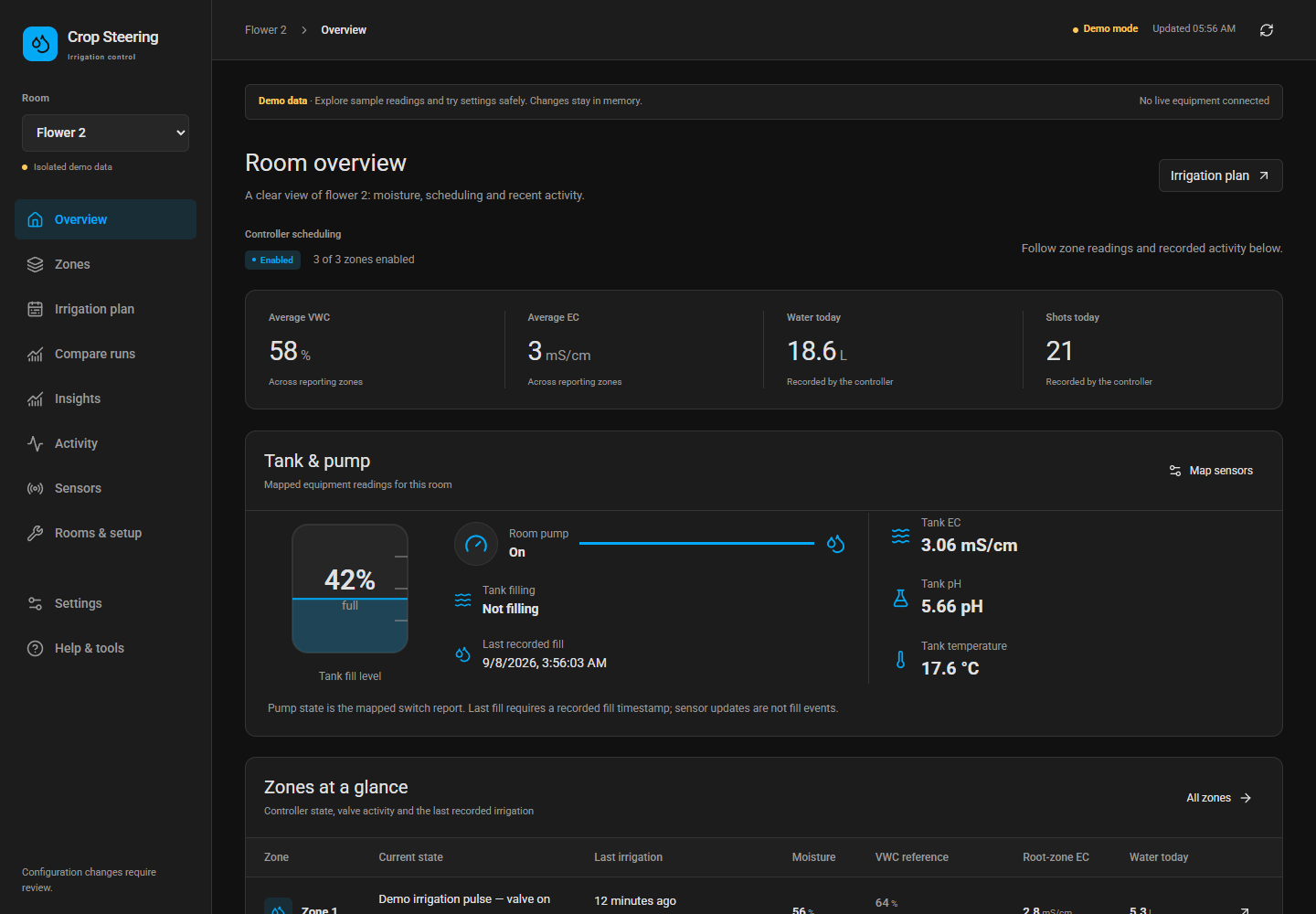
The overview includes graphical tank/pump status and last irrigation events. The public demo includes synthetic recipes and prior runs. An optional local MCP connector supports LLM-assisted configuration.
This repository contains the packaged controller. Development happens in HA-Irrigation-Strategy; release tooling copies only tracked runtime files and the current dashboard.