
Create interactive multiple-choice questions directly inside Anki using dropdown menus.
Instead of typing an answer, learners select it from a randomized list of choices, making reviews more engaging while staying fully integrated with Anki.
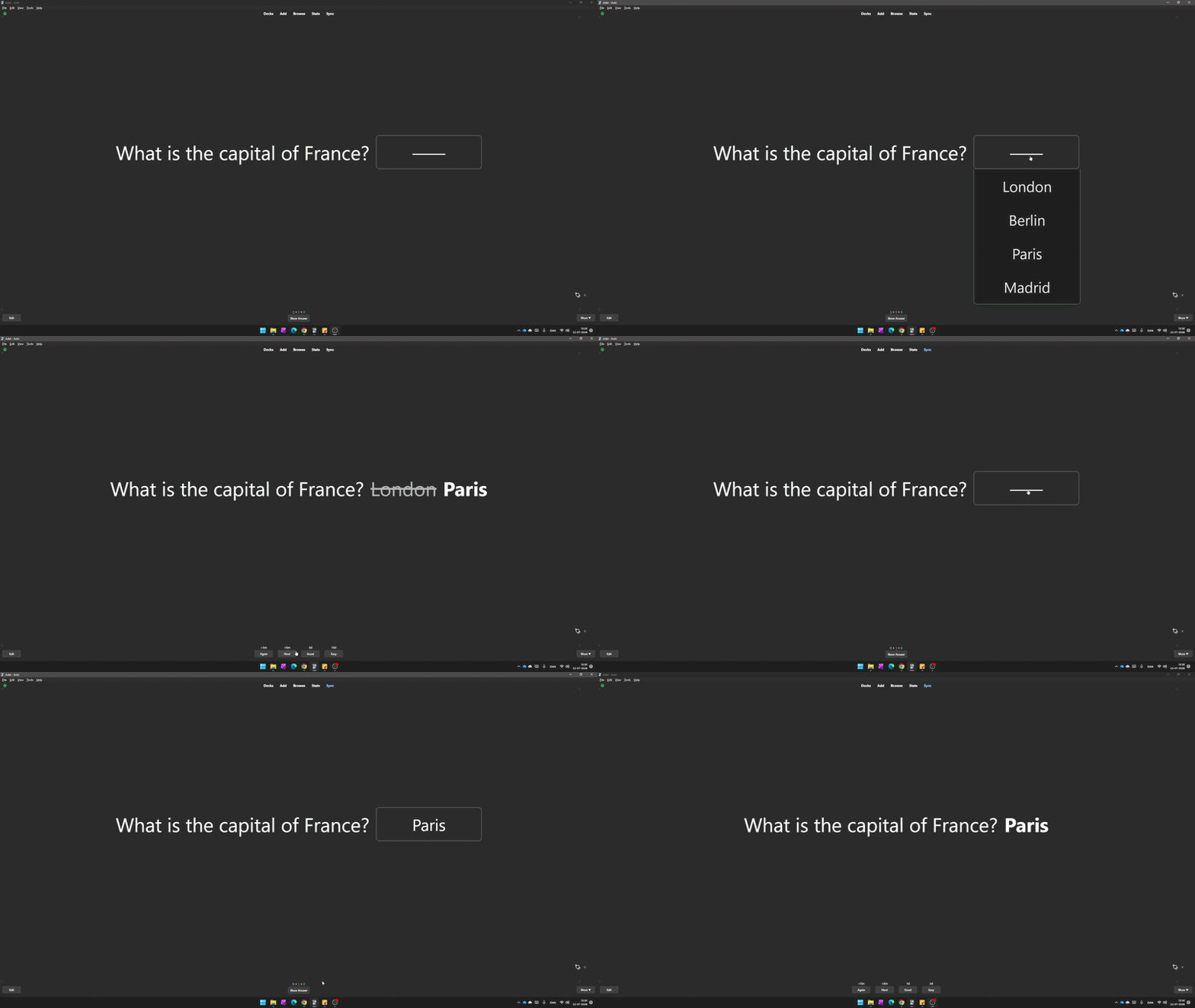
Create interactive multiple-choice questions directly inside your notes
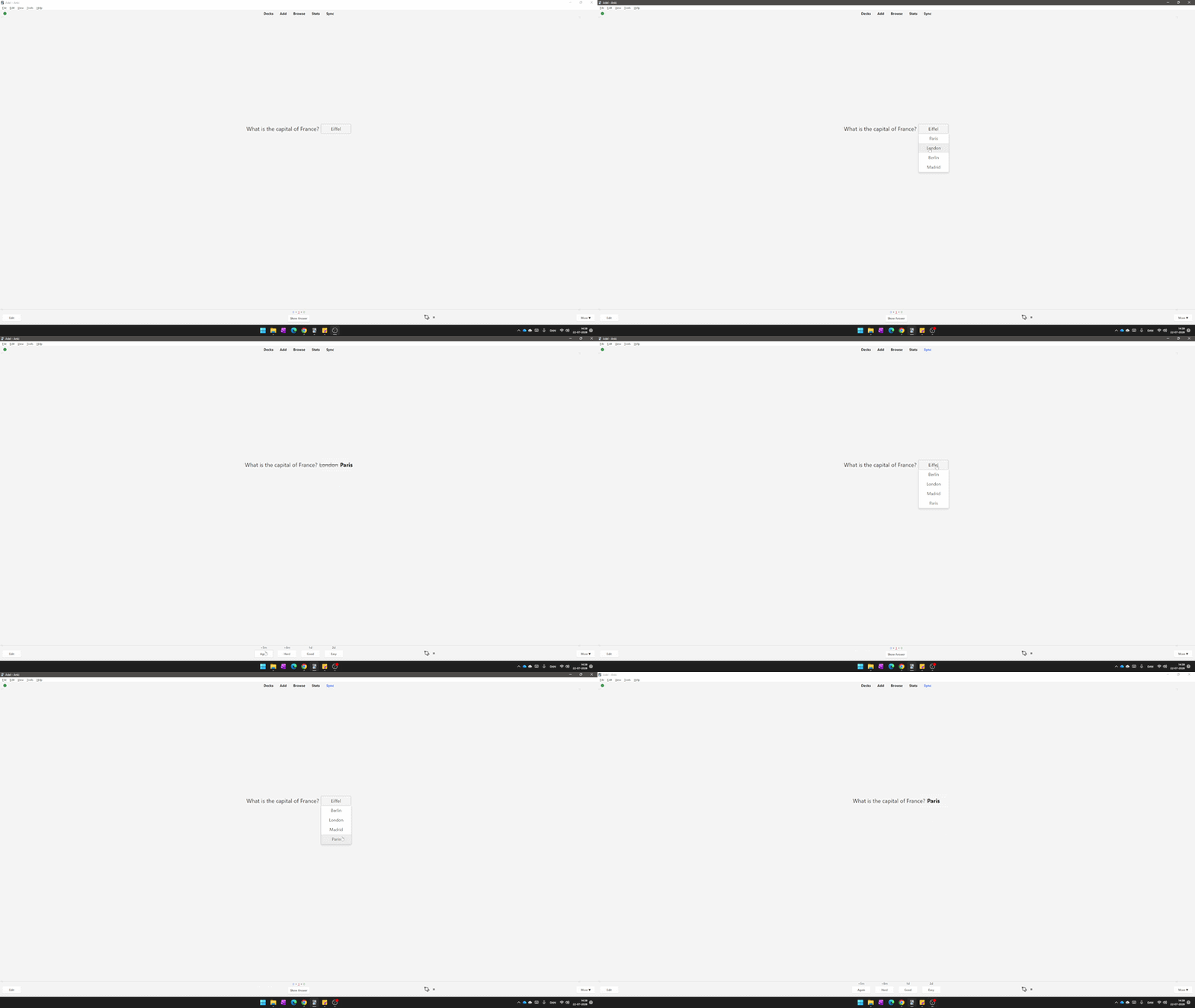
Answer choices are automatically shuffled every time you review
- Interactive dropdown multiple-choice questions
- Automatically shuffles answer choices every review
- One-click editor button
- Keyboard shortcut (Ctrl + M)
- Optional hint / placeholder text
- Unlimited incorrect answer choices
- Dark Mode compatible
- Lightweight and easy to use
- Automatically creates the required note type
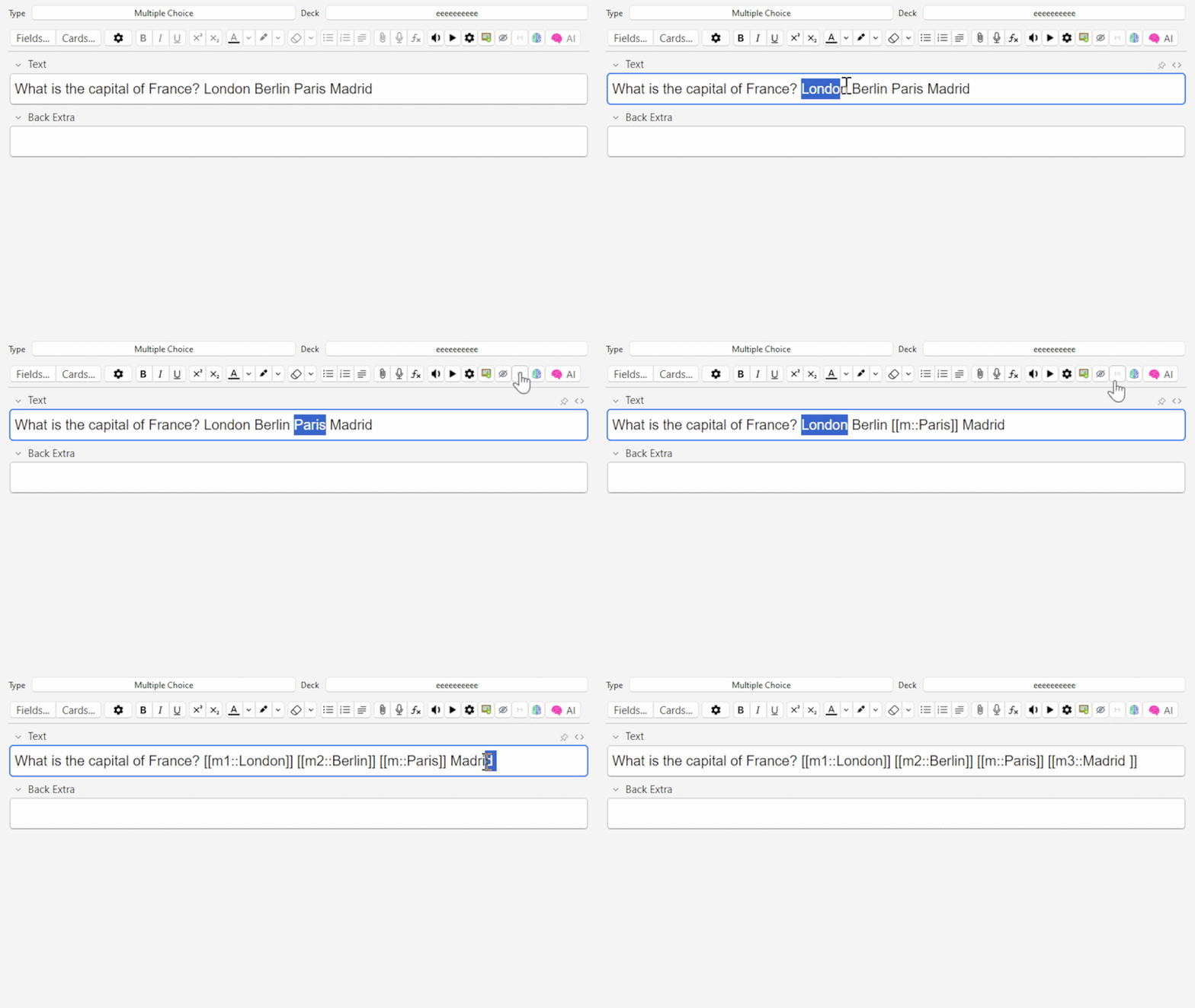
Write:
What is the capital of France?
[[m1::London]]
[[m2::Berlin]]
[[m::Paris::Choose a city]]
[[m3::Madrid]]
During review, the answer becomes an interactive dropdown menu. The order of the answers is automatically randomized every time the card is shown.
- Correct answer:
[[m::Paris]] - Incorrect answers:
[[m1::London]][[m2::Berlin]][[m3::Madrid]]
(You can add as many incorrect answers as you like) - Optional hint:
[[m::Paris::Choose a city]]
Before an answer is selected, the dropdown will display:
Choose a city
- Create a Multiple Choice note.
- Type your question.
- Select the correct answer.
- Click the Multiple Choice button or press Ctrl + M.
- Add incorrect answer choices.
- Study normally.
- The answer becomes a dropdown menu.
- All choices are shuffled automatically.
- Select an answer.
- Press Show Answer.
- The correct answer is displayed.
- If an incorrect answer was chosen, your selection is shown alongside the correct answer.
I wanted a simple way to create interactive multiple-choice questions directly inside Anki without using complicated templates or external tools.
The goal was to keep everything lightweight, easy to learn, and fully integrated into the normal Anki workflow.
MIT License
If you have ideas, suggestions, or discover a better workflow, I'd love to hear your feedback.