

Apply Wisely. Cut the noise from LinkedIn job search.


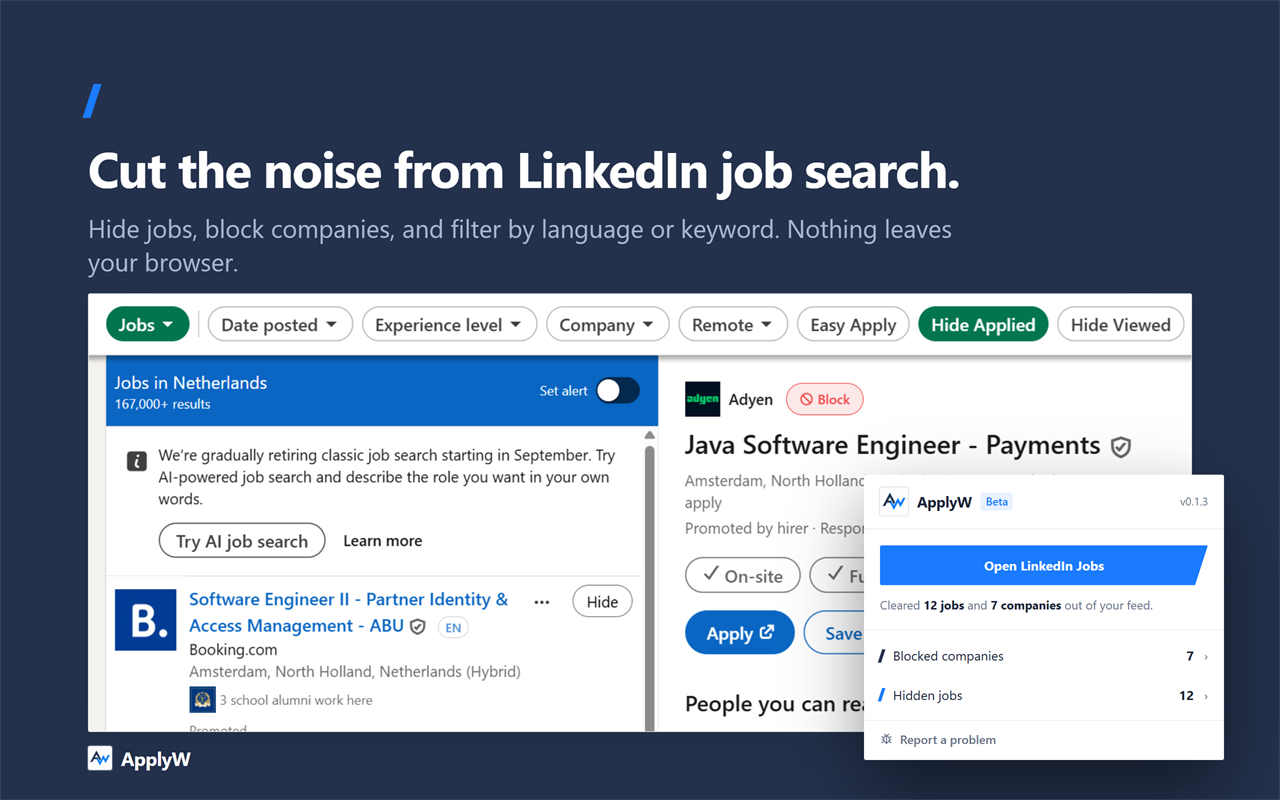
LinkedIn's job search gets noisy fast: postings you've already seen or applied to keep resurfacing, listings show up in languages you don't read, and there's no quick way to stop seeing a company again. ApplyW is a free, open-source Chrome extension that fixes that — directly on the search results page, with no account required and nothing sent off your device.
Works on LinkedIn's job search results page (
linkedin.com/jobs/search). Other job sites aren't supported.
Install ApplyW from the Chrome Web Store →
Free, no sign-up, works in seconds.
- Hide any job you've already seen — it stays hidden
- Block a company — never see a listing from them again
- Filter by language — only see postings written in a language you actually read
- Filter by keyword — show only listings that mention a word you care about (e.g. "Java"), or hide anything that mentions one you don't (e.g. "Junior")
- Take it back — every hidden job is listed with its title, company and date, and any one of them can be restored
- See what's working — which of your filters is hiding the most, and which excluded words are earning their place
- Everything re-applies automatically as you scroll, with no re-setup needed
extension— the Chrome extension itself, open source (MIT)website— the landing page and the metrics page, live at applyw.app
- Hide job postings you've already seen
- Hide job postings you've already applied to
- Permanently block companies from ever appearing again
- Filter postings by language
- Filter postings by keyword, in the title or description
- Filtering re-applies automatically as you scroll or navigate
- Review everything you've hidden, and put any of it back
- Metrics — see which filters are actually doing the work
Ordered by priority — top of the list is what makes the tool worth installing at all.
- Hide promoted/sponsored listings
- Sort listings by most recent
- Manage every filter from the extension popup, not just the page
- Duplicate-posting detection — flag the same role reposted by the same company
- Keyword highlighting — visually flag your own skills/keywords inside a listing
These would need an account and a server, which ApplyW deliberately doesn't have today. Nothing here happens without a good reason to give that up.
- Export your seen/applied history to a file
- Manage your filters from the website too
- Cross-device sync — your history and settings follow you, not just one browser
- AI match scoring — rate how well a posting fits your CV/profile
- Weekly digest email of new postings matching your filters
- Auto-tagging/categorizing of saved jobs
Early days, actively developed. If ApplyW saves you some scrolling, a star on the extension repo helps other job seekers find it.